 Grassroots Technology Support Hub
TABLE OF CONTENTS
Accessing Club Portal
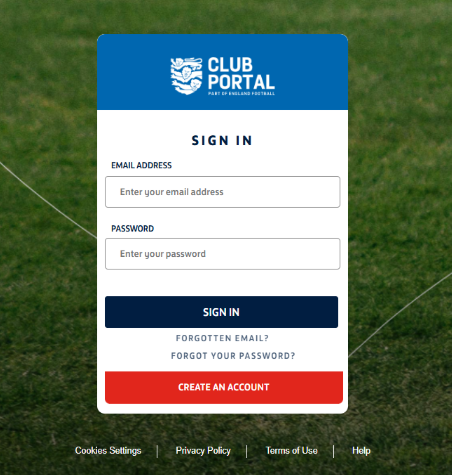
Firstly, you will need to login to the Club portal, using your email and password. Upon login, navigate to discipline tab on the left hand side.
Finding the fast-track offer
Within the Discipline tile, Click the misconduct tab, Fast Track Offers and you should see the screen below:

Click the case number and you should see the screen below:
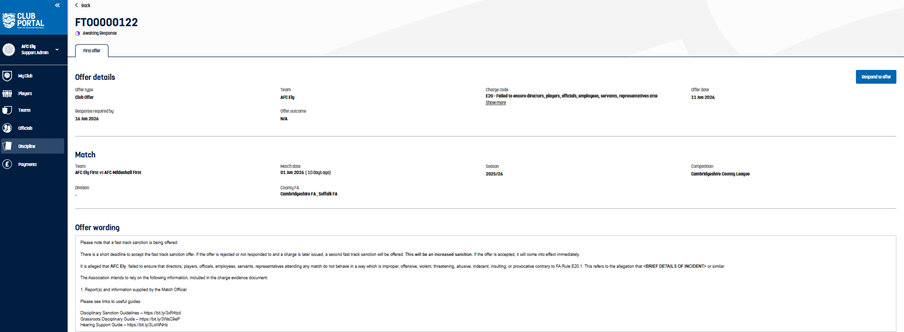
Please take this opportunity to review the evidence and share this with alleged offender to provide a response to the first offer of sanction.
Selecting the relevant response
Click on the “respond to offer” button and you will be directed to the screenshot below:
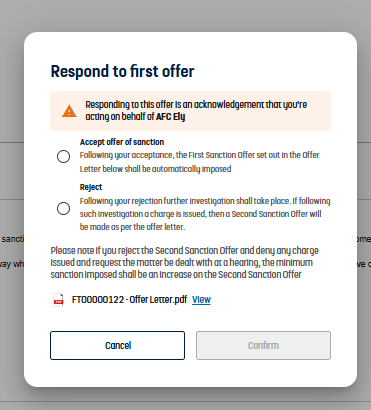
Referring to the descriptions for each option (Accept offer of sanction/reject) select the relevant response.
Please note if the first offer is rejected, further investigation will take place and a charge issued. Any offer of sanction will be higher than the first offer.
If you accept the offer the suspension will be automatically imposed (commences on the 6th day after offer)
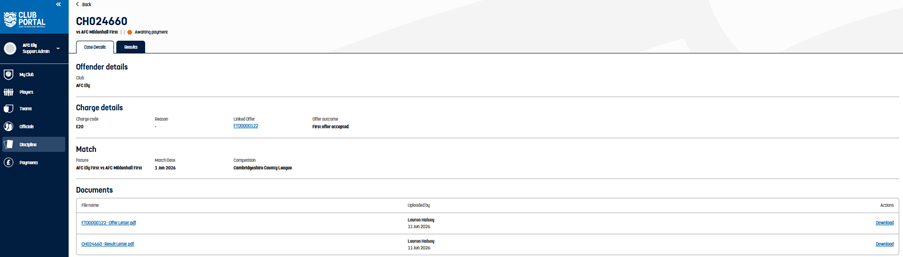
If you accept the offer, you should see the screenshot below:
Responding to a second Fast Track Offer
When a second offer is issued, after a first offer is rejected, it will show as Awaiting response. Click into the case and select pending charge:
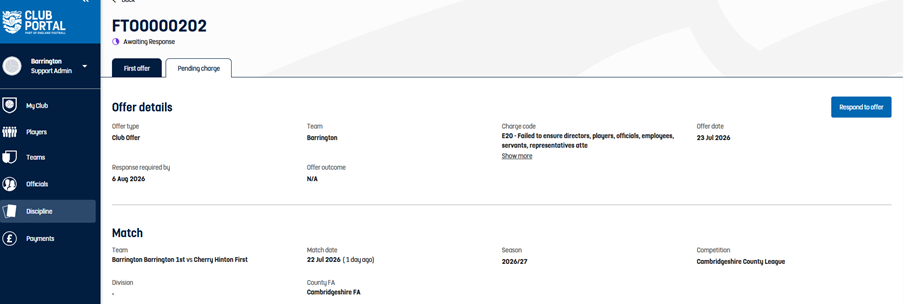
Within the charge wording, it will detail the second offer and include the details of the charge alongside the Evidence pack.
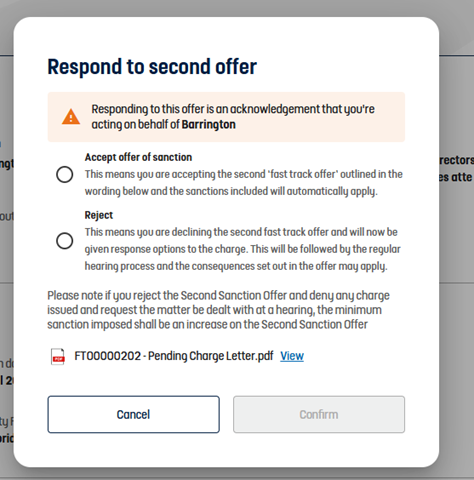
Referring to the descriptions for each option (Accept offer of sanction/reject) select the relevant response.
Please note if the second offer is rejected. Any offer of sanction will be higher than the first and second offer.
If the second offer is accepted, the increased sanction will be imposed on the first Monday following the fast track offer being accepted.
Rejecting a second Fast Track Offer
If you have rejected a second offer you now need to respond to the charge. Referring to the descriptions for each option (Accept/Deny) select the relevant response.
Then select the hearing type.
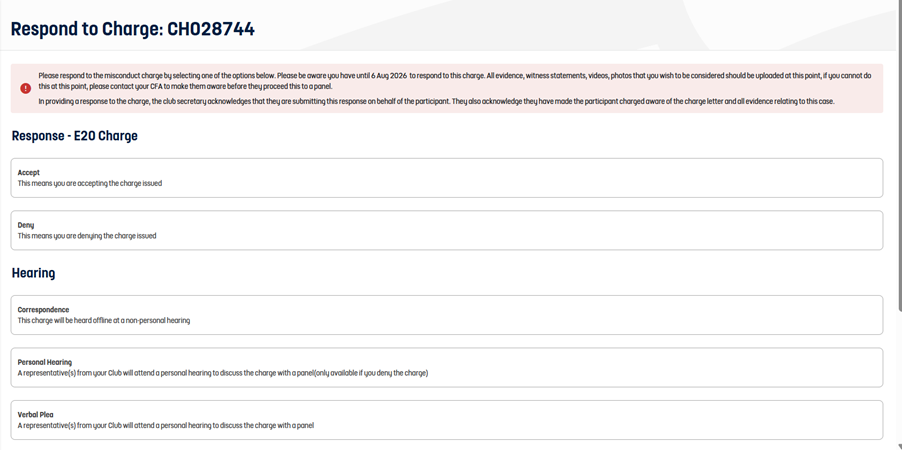
If you accept/deny the charge, you have the option to upload any evidence to support your response.
Navigate to the submit button and this will notify the CFA of your response who will deal with the charge accordingly.