Grassroots Technology Support Hub
TABLE OF CONTENTS
Team Discipline
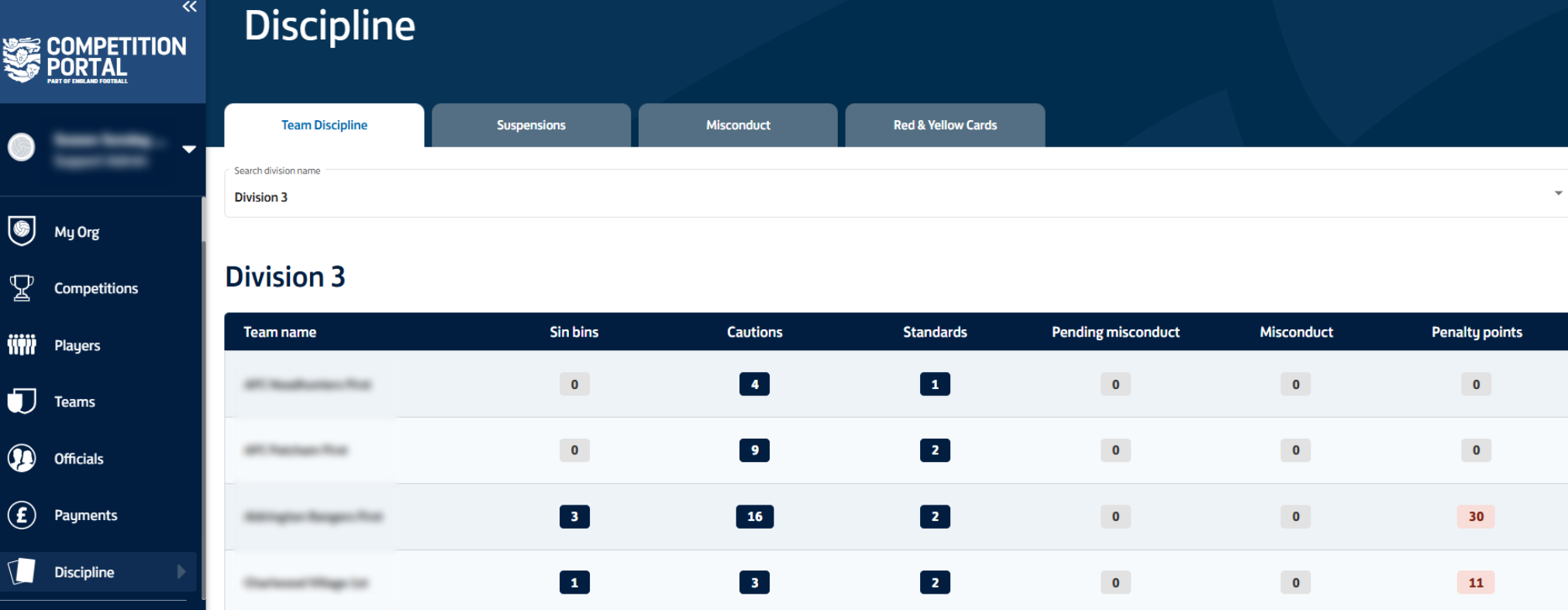
Within the team discipline tab, select the division in which you would like to view the fair play table. This is then broken down to allow you to view the sin bins, cautions, standards, pending misconducts, misconduct charges and penalty points for each team in the division.
Suspensions
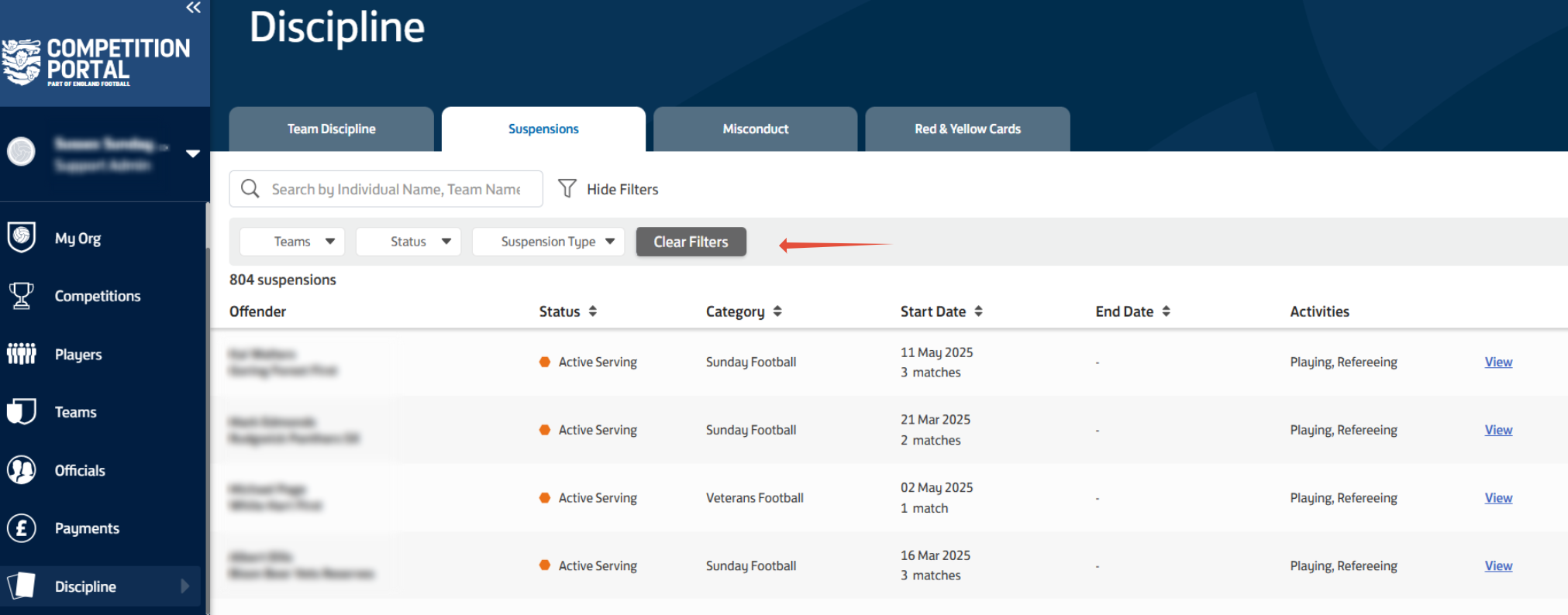
The suspensions tab allows you to view any suspension from within your league, or a suspension related to an individual that takes part in your league. You can view the offender, status, category type, start and end date and the activities the suspension relates to. you can use the filters shown to filer by team, status and suspension type.
Selecting the view option on the right hand side provides further information relating to that individual suspension.
Misconduct
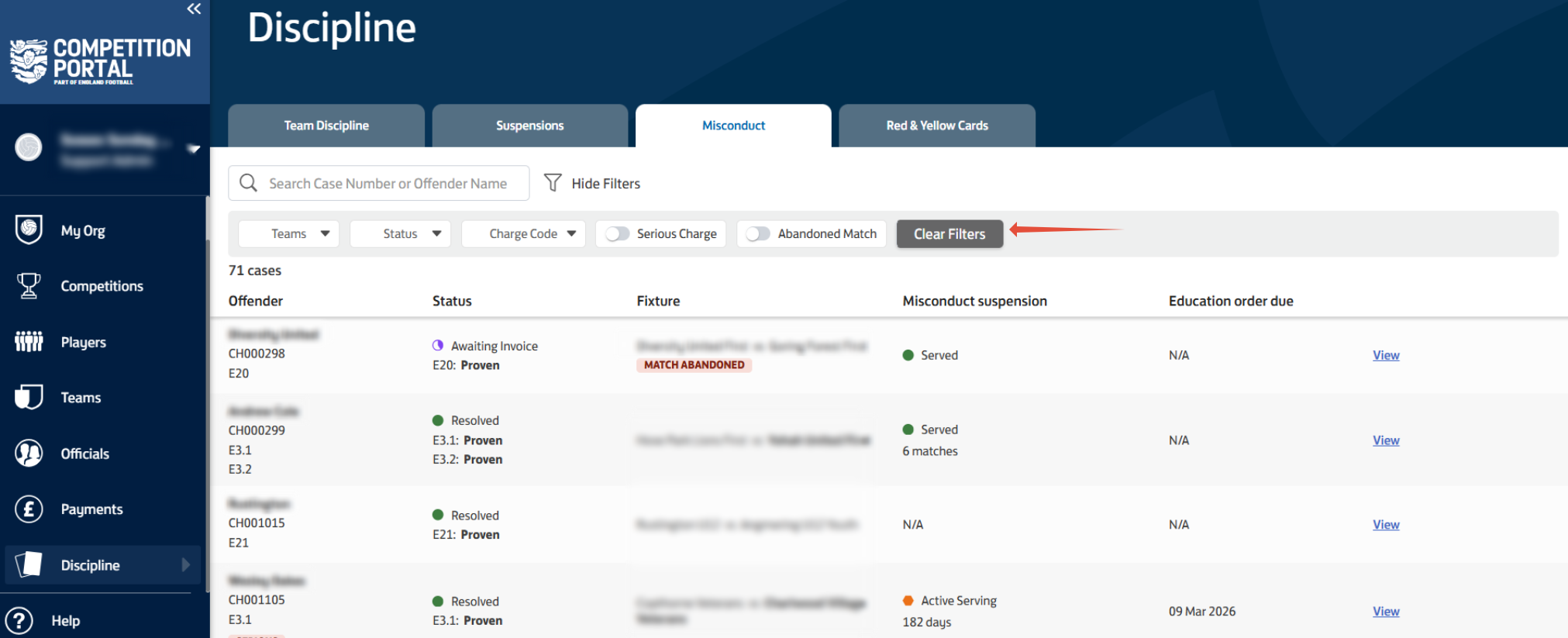
The misconduct tab allows you to search for a case number or offender name and shows each misconduct from within your league. You'll be able to see the offender, case number, status, which fixture the charge relates to, the suspension and if there is an education order to be completed or not. You can select the "view" option on the right hand side for a further breakdown of that individual charge.
You can also use the filters shown to filter by team, charge status, charge code, if it's a serious charge or if the match was abandoned.
Red & Yellow Cards
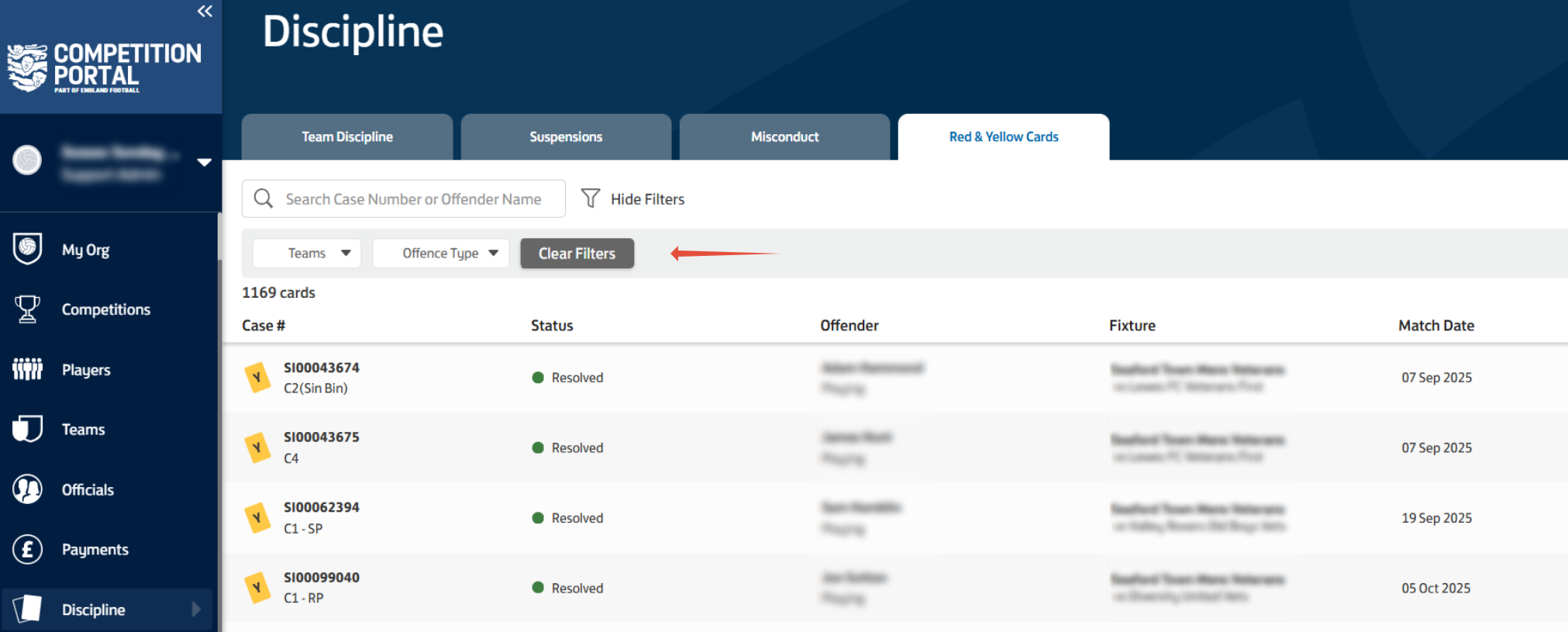
The red and yellow card tab will show the case number, status, offender, fixture the card took place in and the match date. you can use the filters shown to filter by team and offence type.