 Grassroots Technology Support Hub
TABLE OF CONTENTS
- Missing player
- Email verifications
- No roles - Not been invited
- Updating SMS (check if they've been sent)
Missing player
Email verifications
If a user sends a ticket in to say they have not received the weekly fixture / email notification, it is likely that they have no verified their email in Full-Time. To check if their email address is verified sign in to Full-Time and select the league that they are involved in.
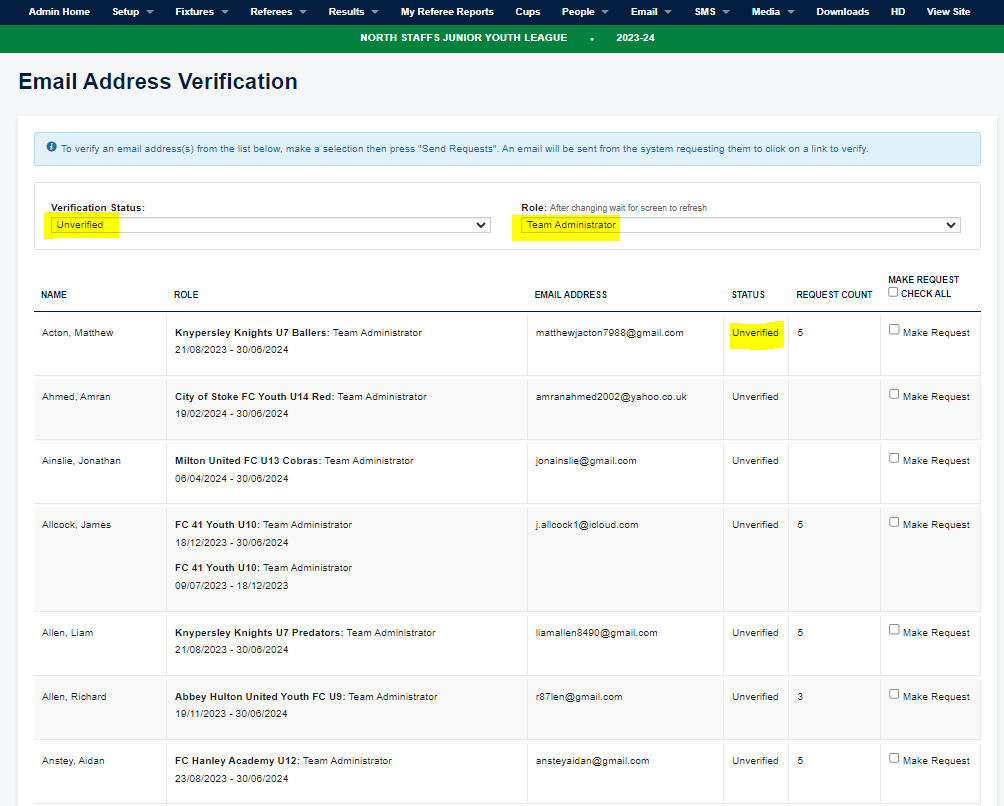
Then select the email tab from the top > email address verification and then change the verification status to unverified and change the role to the role the user holds. If they show in the unverified list, select "make request" on the right and then scroll down and hit send. The user will then receive the verification email and once they have completed this they will then start to receive the fixture notifications.
No roles - Not been invited
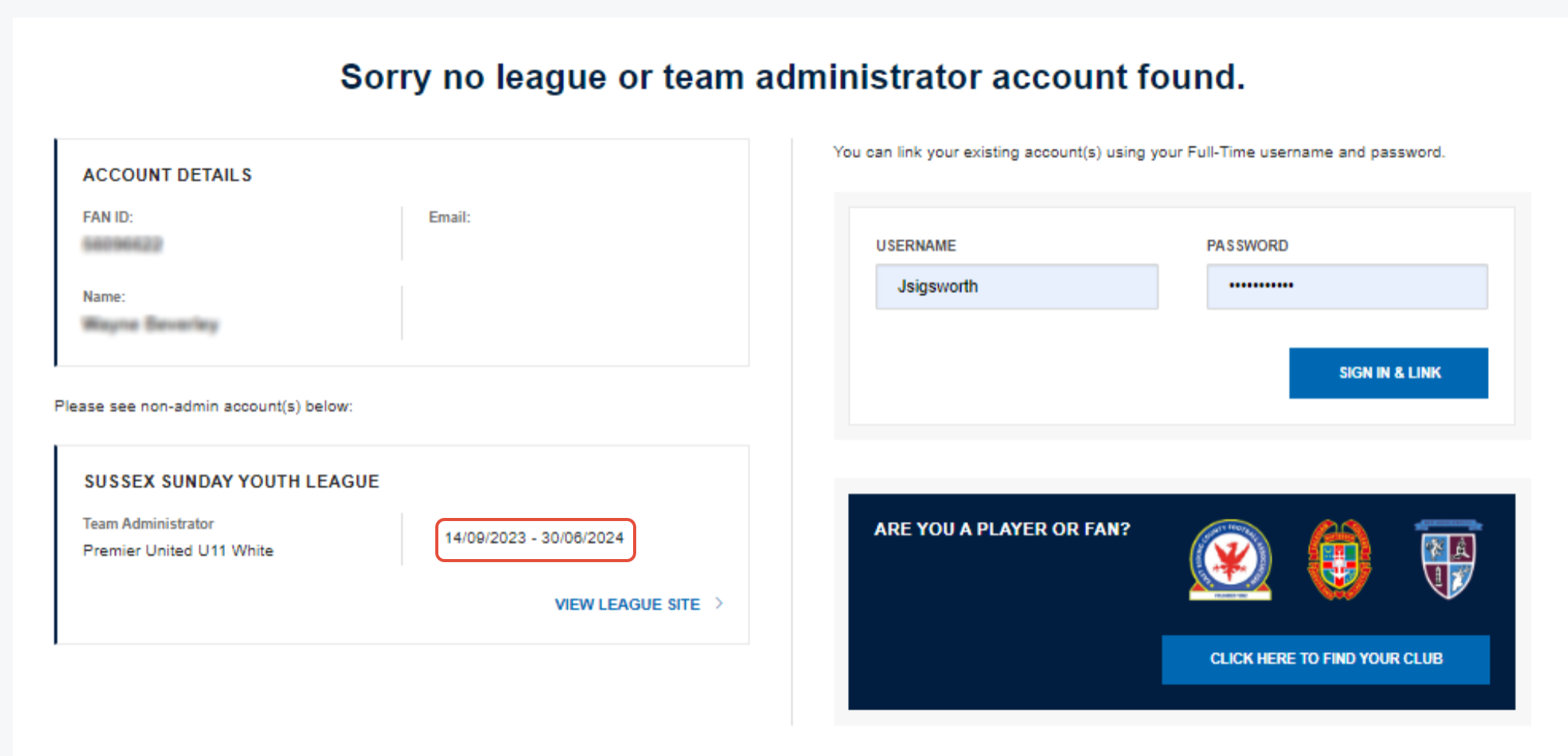
When a user is seeing the screen below when they try to sign in it will mean that they have not been invited to Full-Time. Check that the role is for the correct season (highlighted in red)., if it is then sign in to Full-Time and find the correct league.
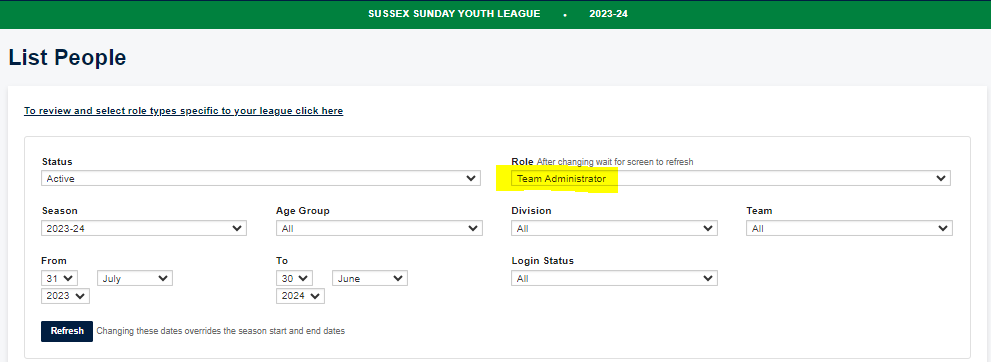
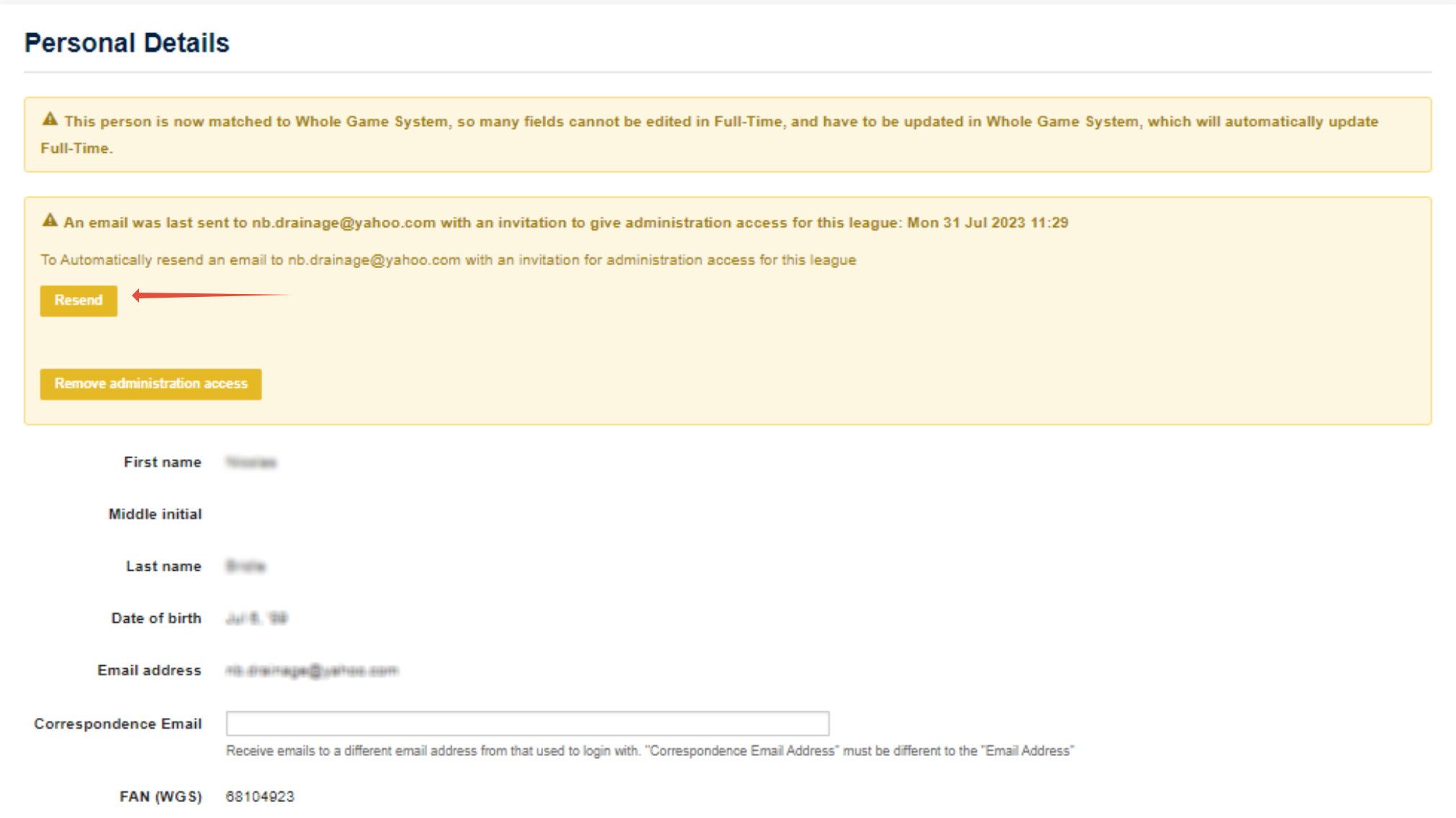
Once signed in select the people tab > list people option and then change the role to the role of the user (you can select the division and team if known) and then find the user. Select the edit option next to the name and you'll then see the option to either invite the user or resend the invite. Once the user clicks the link in the invite they will then be able to sign in.

Updating SMS (check if they've been sent)
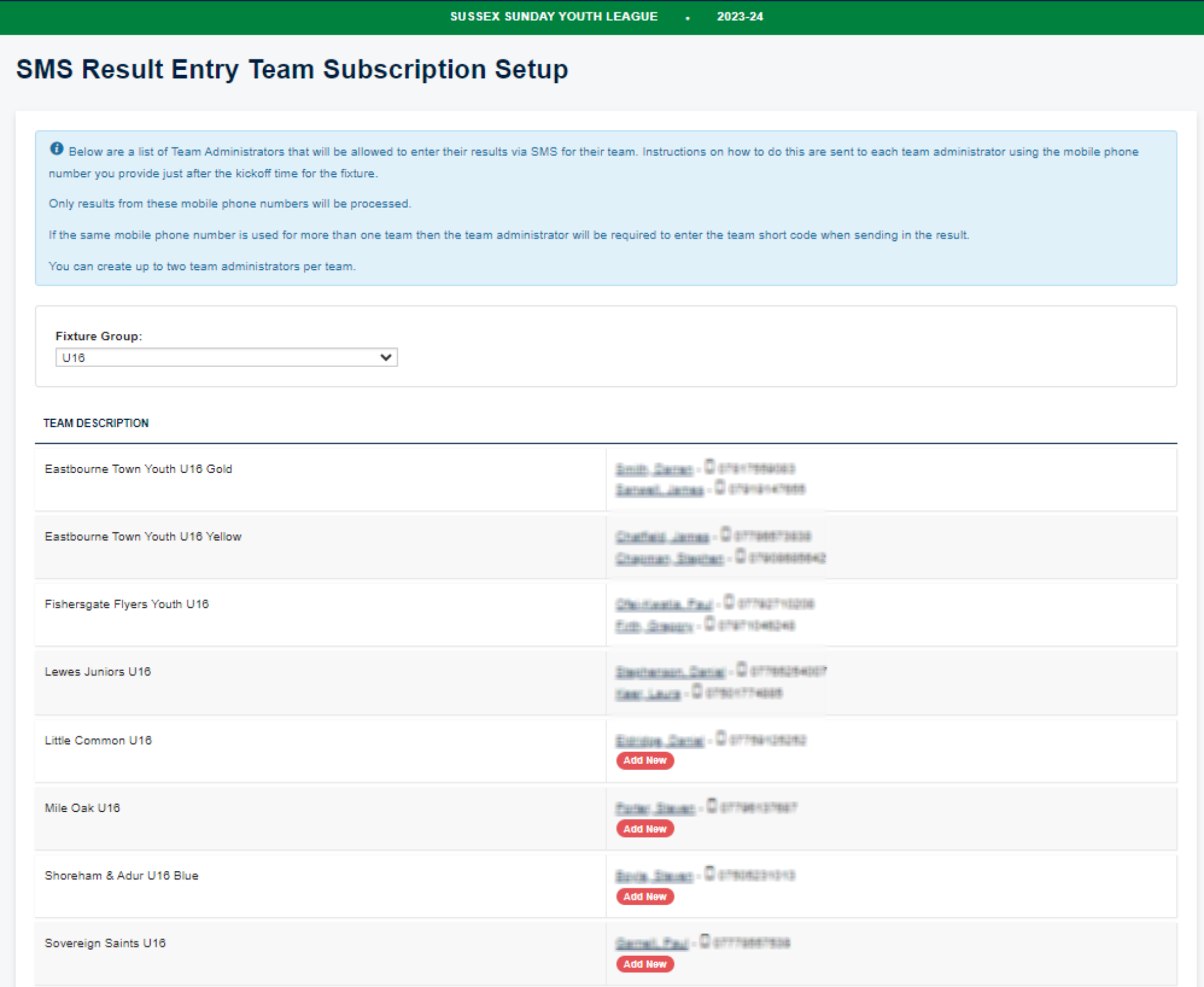
For users who say they have not received the SMS message, you can check to see if they are listed as one of the two SMS contacts by selecting the SMS tab > teams. You can then see if they are listed as the SMS contact or you can select the add new button. Any individual listed as a team administrator will show on the list of people to add in. To remove an contact, select their name and then chose the delete option.
You can also use the sms tab > phone search option to enter a number and check when / if the messages have been sent to a contact.
TABLE OF CONTENTS